See what a conversation used
When an agent finishes a turn, it reports what the turn used. Enjoy keeps those numbers for each conversation on your computer, and the conversation’s ⋯ menu shows them.
Before you start
- Use the Enjoy app on your computer. Usage is kept on the computer where the agent ran, so the web and iPhone apps don’t show it.
- Use Claude Code. Other agents don’t report what each turn used yet.
- Send a message. Enjoy starts counting a conversation’s turns from the first message you send after updating, so older conversations show usage once you send another message.
Steps
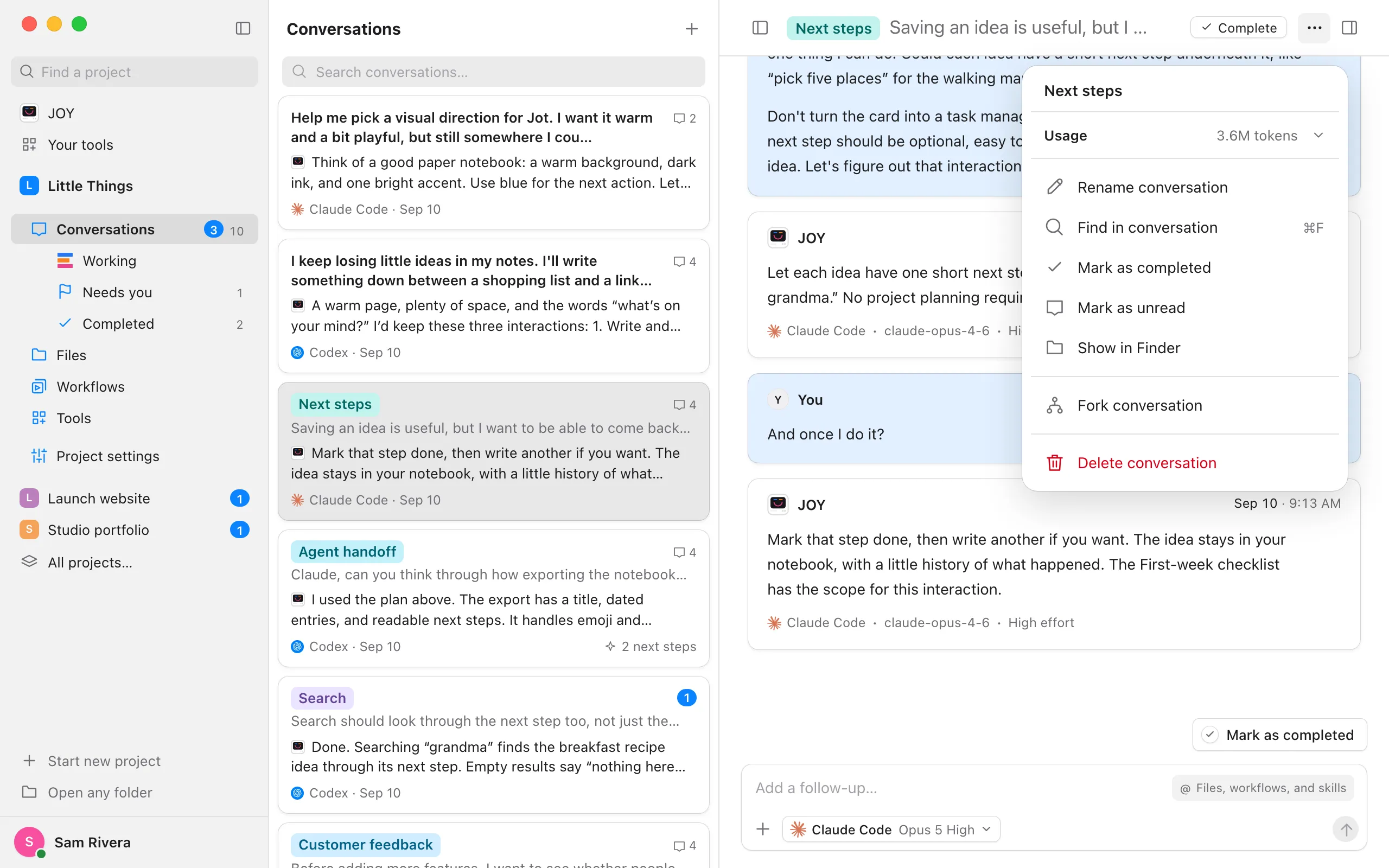
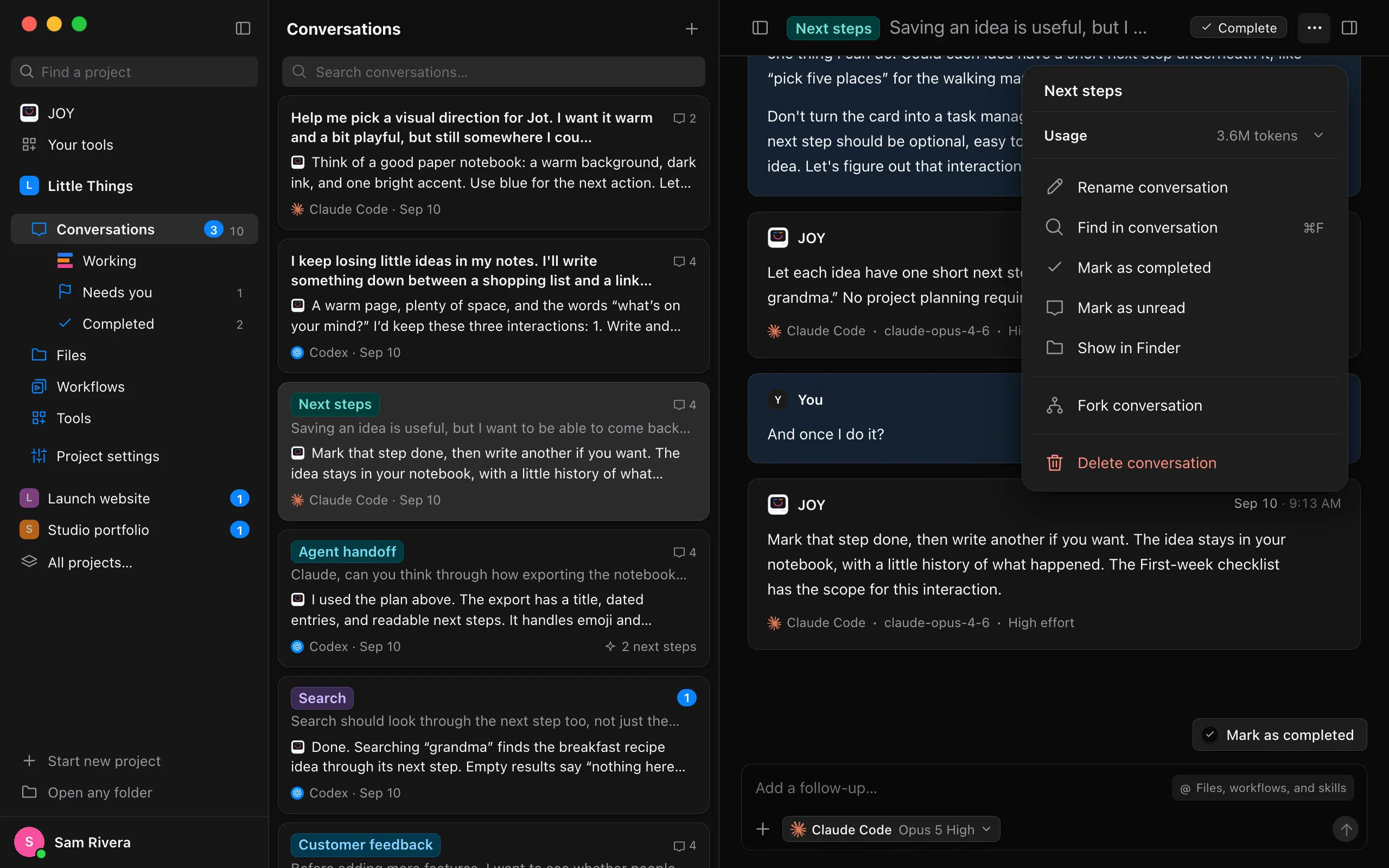
Open the conversation’s ⋯ menu
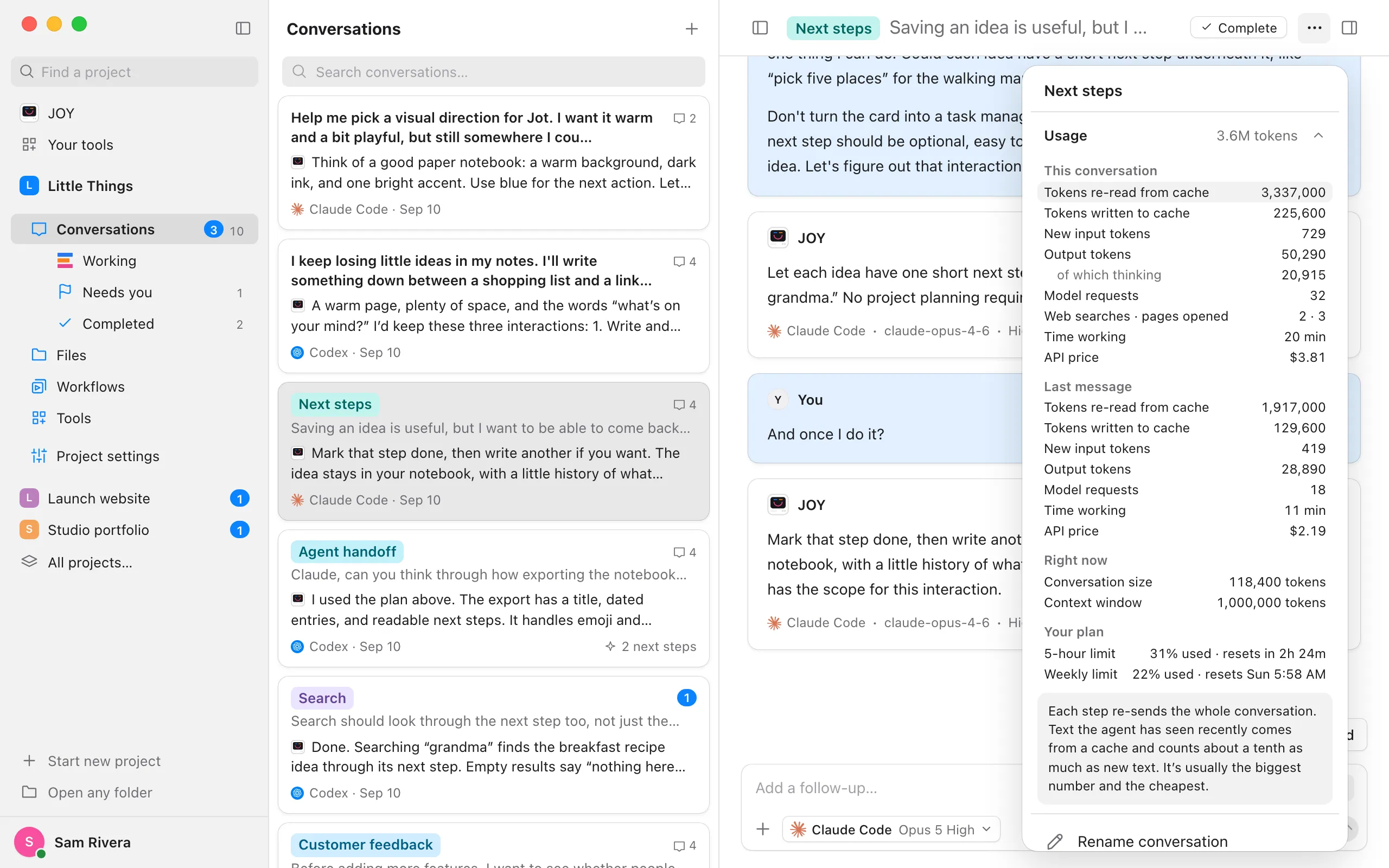
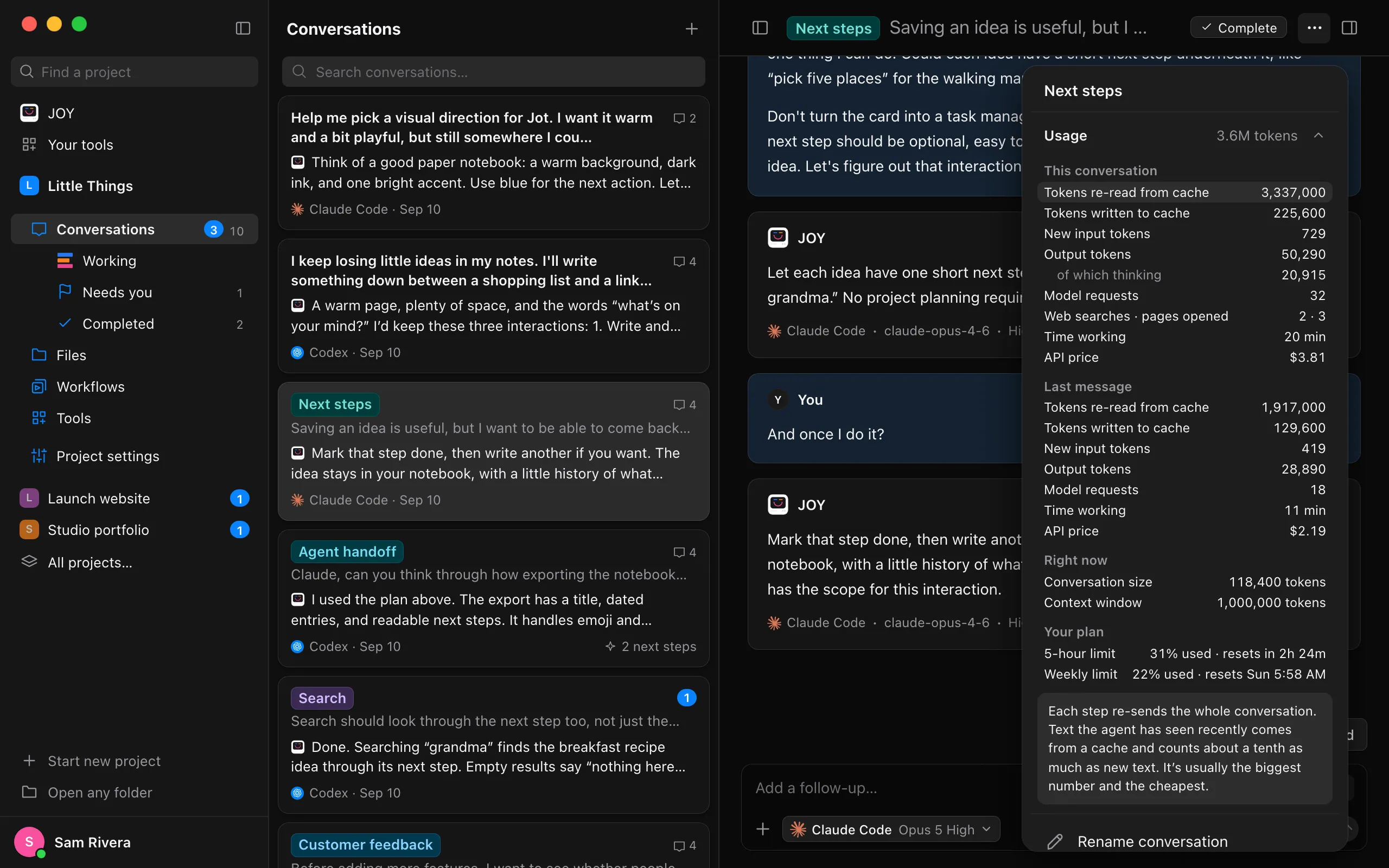
At the right end of its title, select the ⋯ button (Conversation actions). Under the title, Usage shows how many tokens the conversation has used, such as 3.6M tokens.
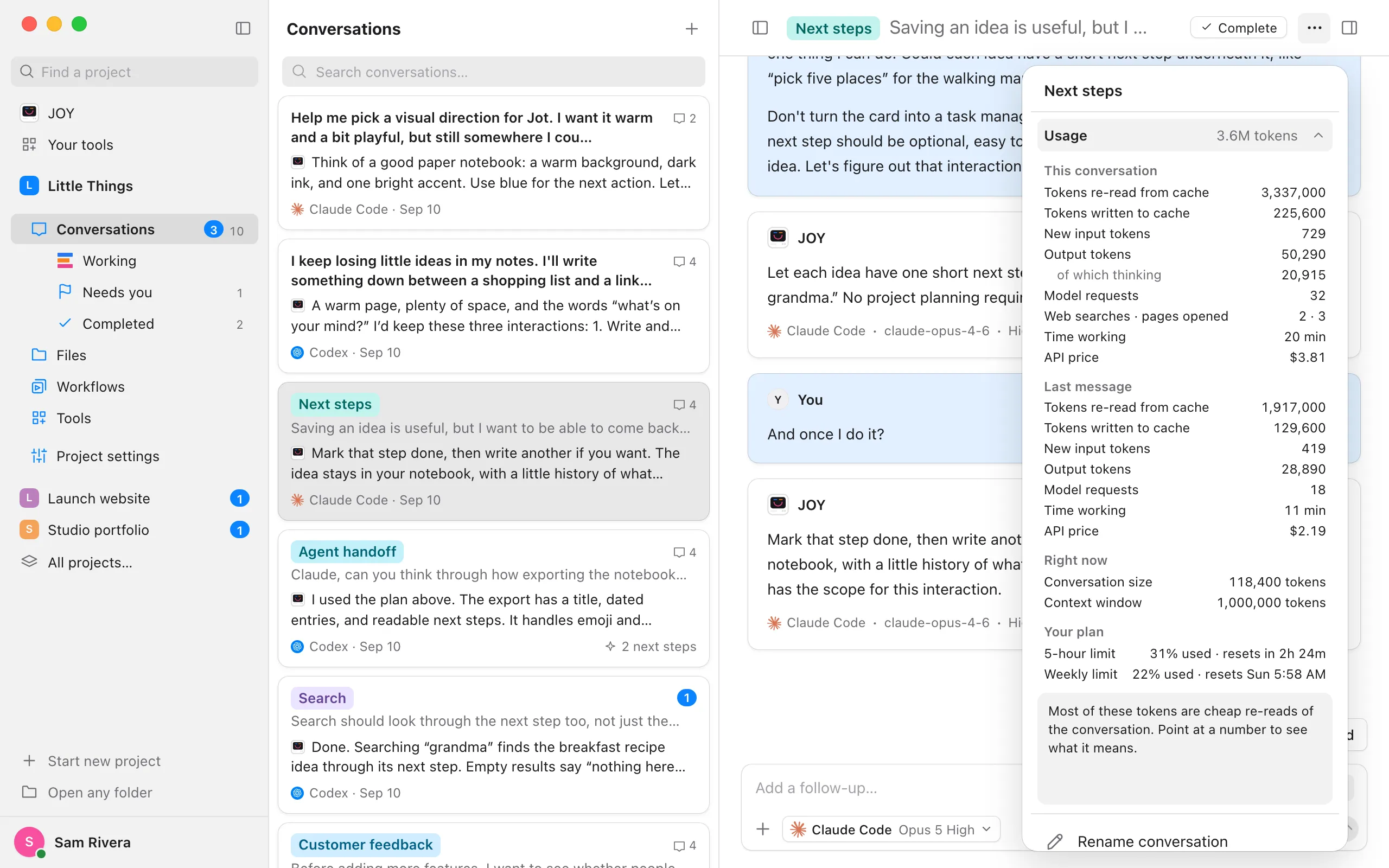
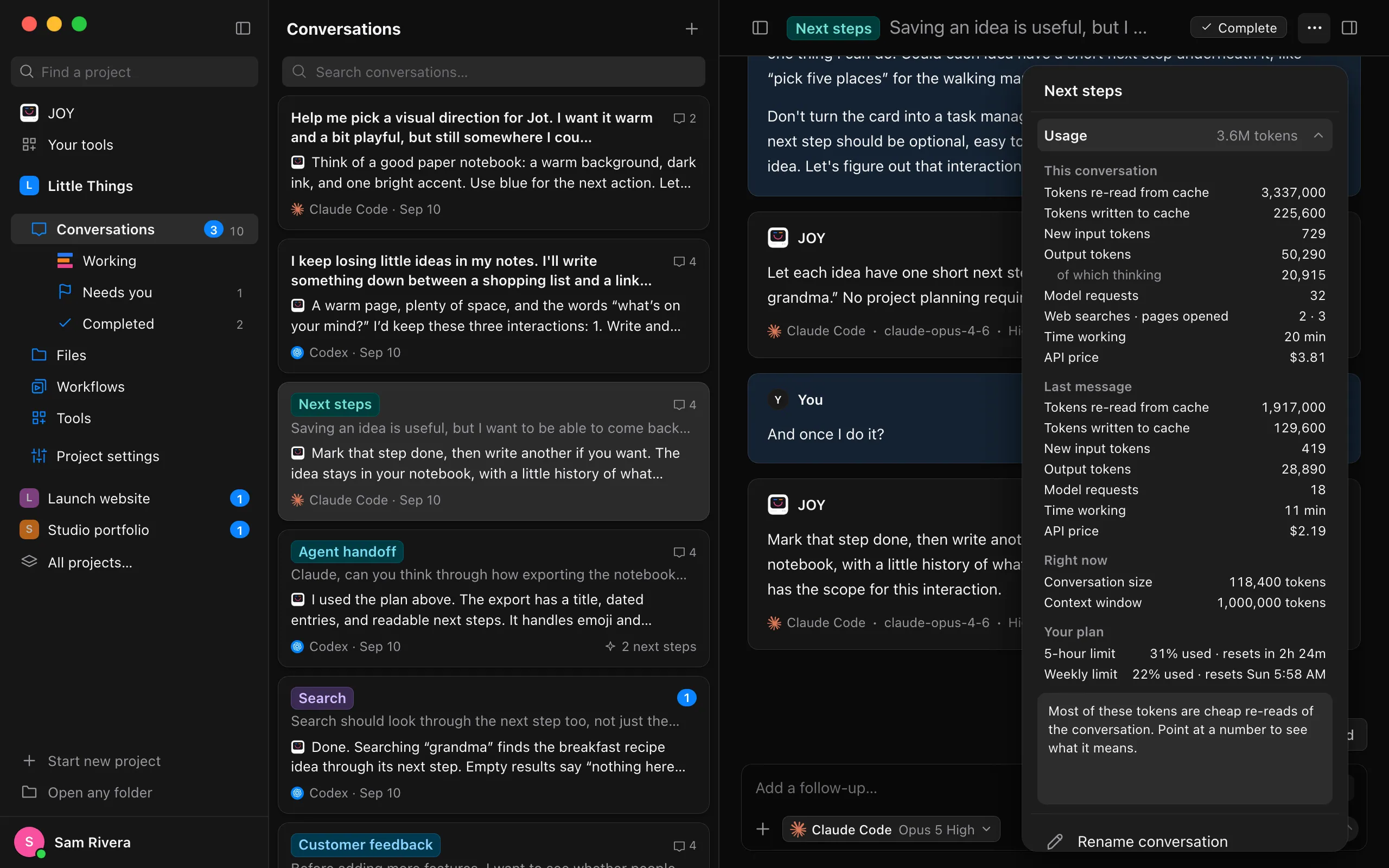
Select Usage
Every number the agent reported appears in four groups: This conversation, Last message, Right now (the conversation’s size and how much the model can hold), and Your plan (your 5-hour and weekly limits).
Point to a number to see what it means
The box under the numbers explains the one you point to or select. Until then, it reminds you that most tokens are cheap re-reads of the conversation.
Good to know
- Tokens are small pieces of text, about three quarters of a word each. Every step the agent takes sends it the whole conversation again, so most of a conversation’s tokens are Tokens re-read from cache. Re-reading counts about a tenth as much as new text, which is why a large number there is usually fine.
- Conversation size is how much the agent re-reads at every step right now. The longer it gets, the more each message uses. A new conversation starts small again. See Use one conversation per task.
- API price is what the tokens would cost at the provider’s API prices, as the agent reports it. Your plan doesn’t charge per message; it’s there for comparison.
- Model requests and Time working count from when Enjoy started recording the conversation’s turns. Point to them to see the date.
- Last message shows its tokens only when Enjoy knows what the conversation had used before it. For a conversation from before you updated, they appear from the next message on.
- Your plan covers your whole account, every conversation and device included. See Check how much usage you have left.
- Deleting a conversation also deletes its usage.