Run a command from a reply
Steps
Point to the commands
Move the pointer over a block of shell commands in an agent’s reply, or move to it with the Tab key. A play button appears beside the block’s copy button.
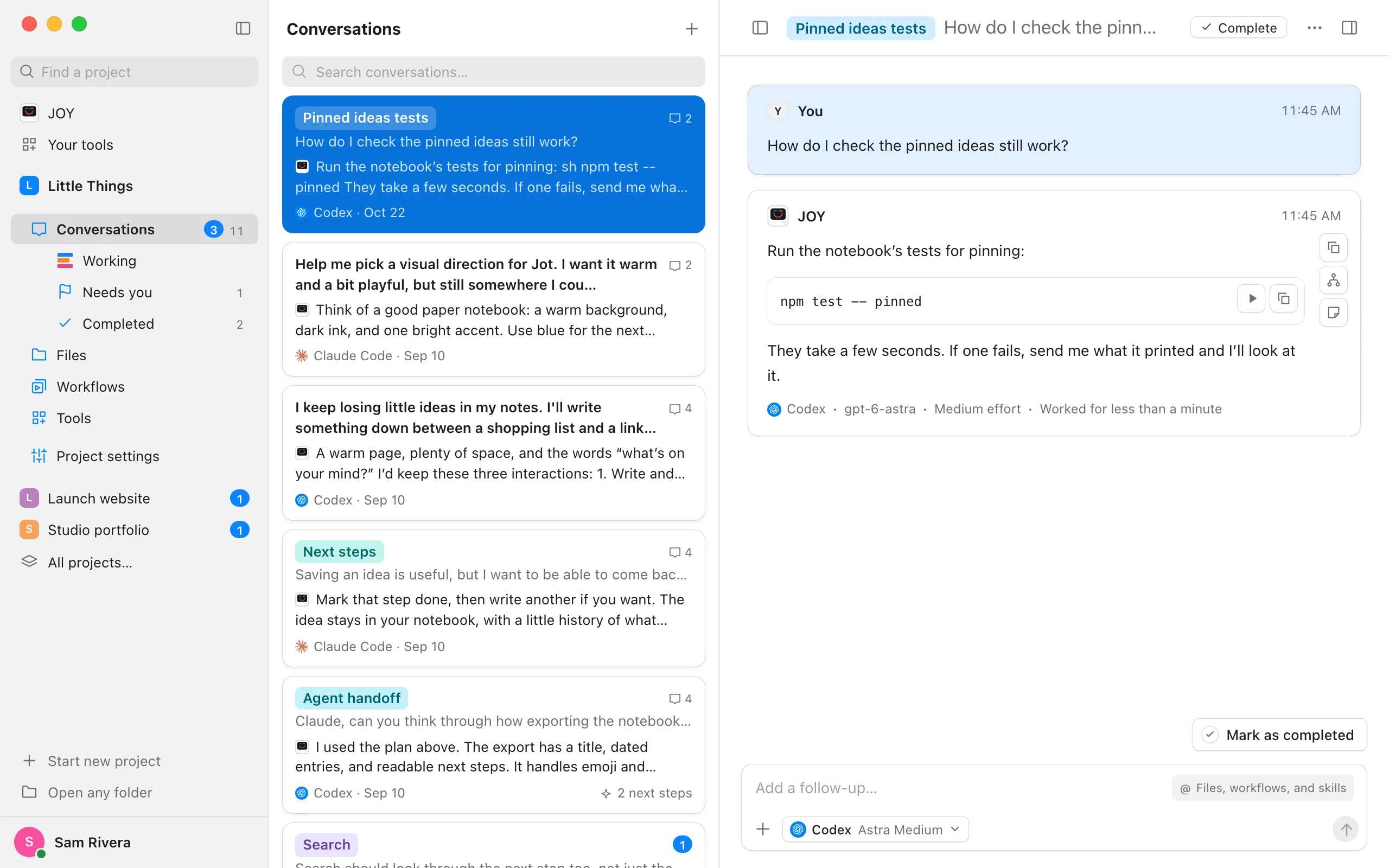
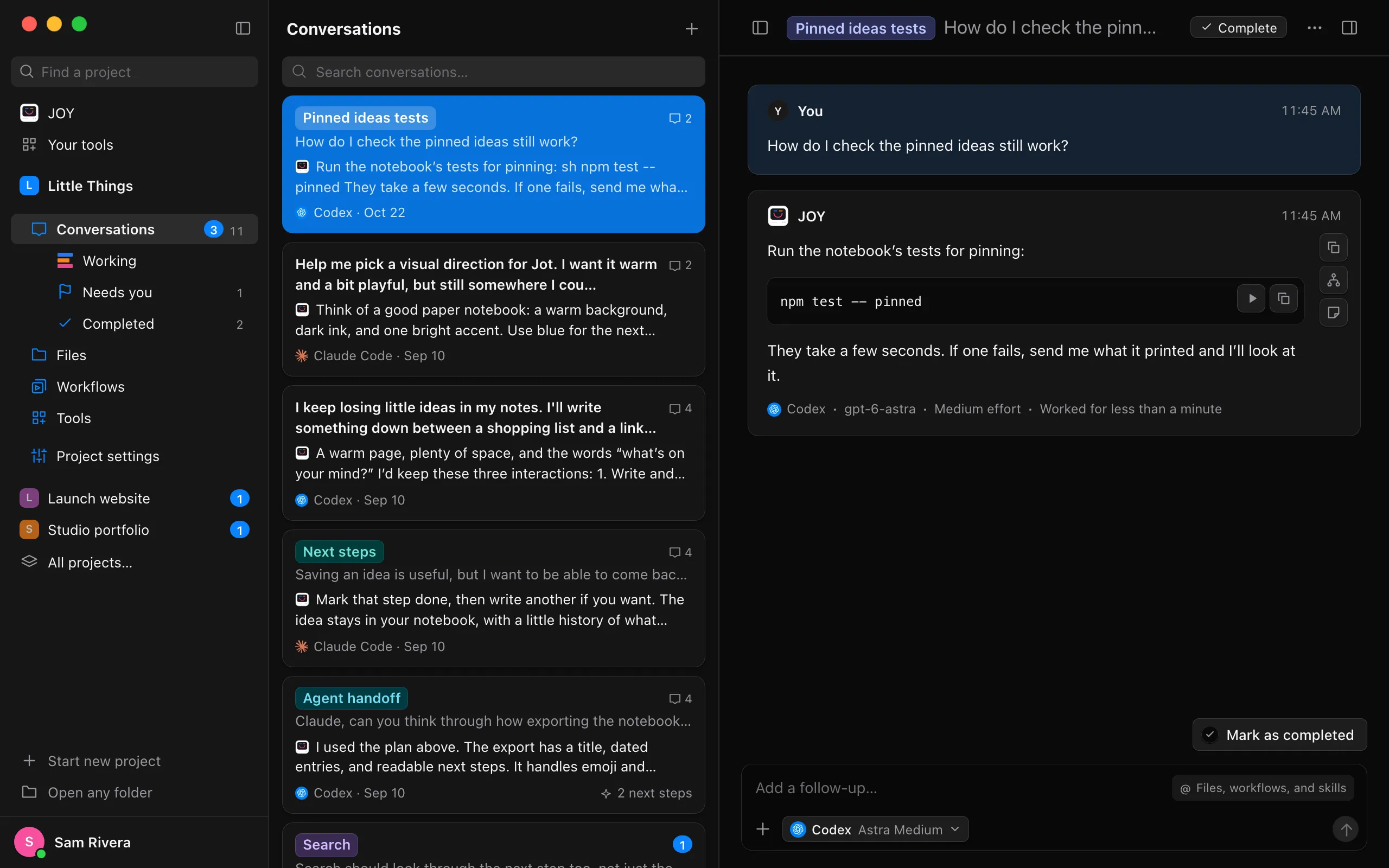
Select the play button
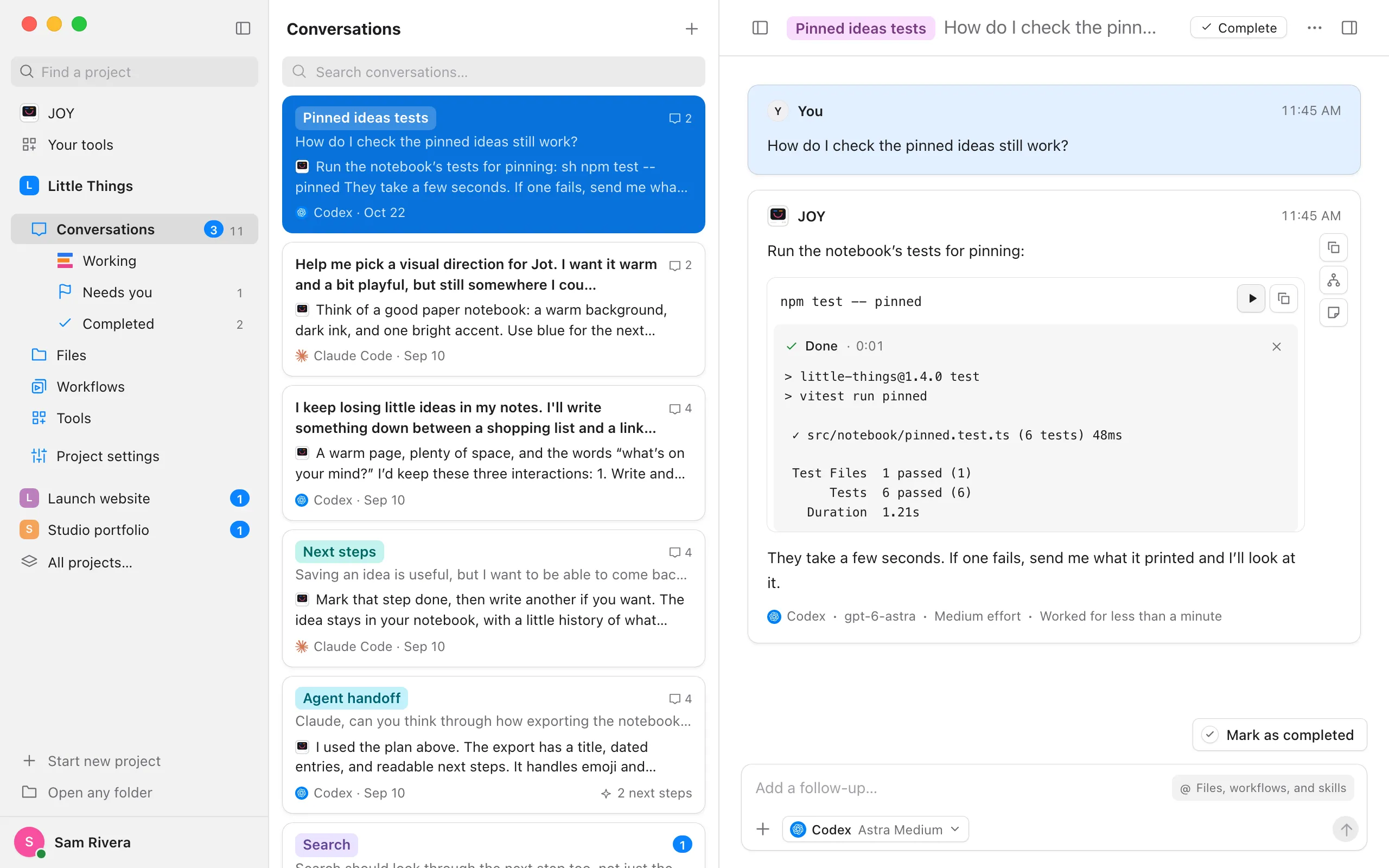
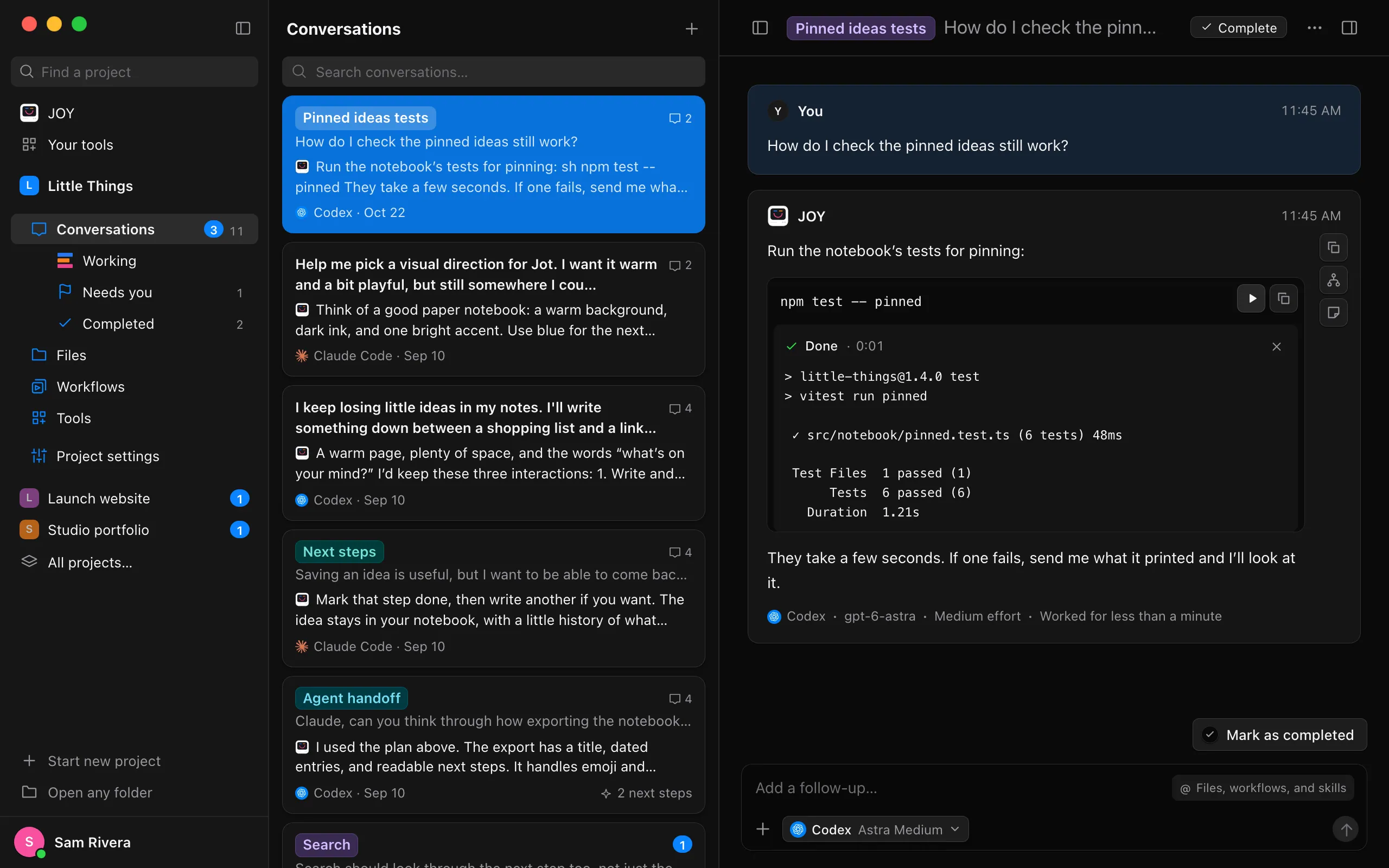
The commands run in the conversation’s folder: the project’s folder, or the worktree the conversation works in. What they print appears under the code as it arrives, beside how long they’ve been running.
See how it went
When the commands finish, the block shows Done, or Exited with code and a number when something went wrong. Select the close button beside it to hide the output.
Good to know
- To stop commands that are still running, such as a server, select the stop button where the play button was. Whatever they started stops too.
- Only shell blocks run: those an agent marks as
sh,bash,zshorshell. Other code, such as TypeScript, has just a copy button. - Commands run as they would in your terminal, with your shell and its settings, so they can change files: read them first. On Windows they run in Git Bash, which comes with Git for Windows. A project in WSL runs them in its Linux distribution.
- Commands can’t ask you anything while they run. One that waits for an answer gets none and usually stops.
- If commands print a lot, the block keeps the end of what they printed.
- Commands stop when you close the project or quit Enjoy, and their output goes when Enjoy closes.
- Running commands is part of the desktop app. On the web and in the iPhone app, code blocks have only a copy button.