Compact a conversation
The agent re-reads the whole conversation at every step. When a conversation nears the most its model can hold, the agent summarizes the earlier part to make room. Compacting does that now, when you choose, and the conversation carries on from the summary.
Before you start
- Use the Enjoy app on your computer, where the agent runs. The web and iPhone apps don’t compact conversations.
- Use Claude Code, Codex, or Muse Code. Other agents don’t compact conversations from Enjoy.
- Wait for the agent to finish. You can’t compact while it’s working.
Steps
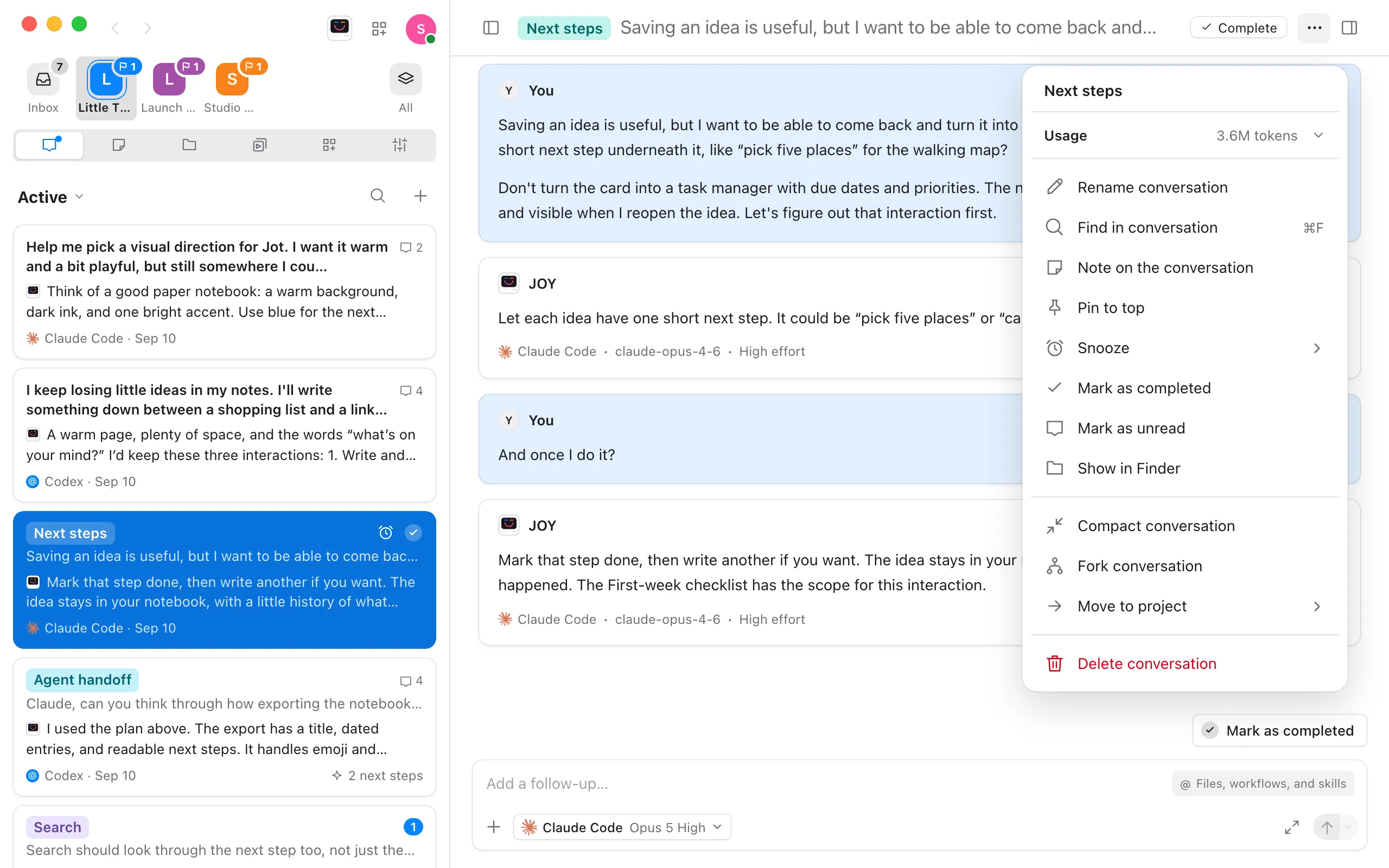
Good to know
- If you show how full the context is beside the ⋯ button, you can compact from there too, and tell Claude Code what to keep. Select the percentage, then Compact now…. In What to keep, type what the summary should hold on to, such as the decisions so far, or leave it empty. Then select Compact. The row says Compacted with the size before and after, such as 819K → 46K tokens. See See what a conversation used.
- The agent keeps working from the summary, not from every earlier message. Exact details from before, such as an error message, may be left out. Ask the agent again if it needs them.
- Your messages and the agent’s replies stay in the conversation. Only what the agent re-reads gets shorter.
- Messages you send while it compacts wait, and go to the agent once it’s done.
- To stop compacting, select Stop. The conversation stays as it was.
- Only Claude Code can be told what to keep. Codex and Muse Code decide on their own.
- If a conversation keeps filling up, starting a new one for the next task often works better. See Use one conversation per task.
If something goes wrong
It says there’s nothing to compact yet
The agent needs some conversation to summarize first. Send a message, then try again.
It says it couldn’t compact the conversation
The message says why, in the agent’s words. Try again, or start a new conversation for the next task.