Find out when a smaller plan would do
Enjoy can’t see your bill, and it never buys or changes a plan. It watches how much of each plan’s weekly limit your agents report using, and when every recent week would have fit comfortably in a smaller Claude plan, it tells you. Changing your plan is up to you, on the provider’s own site.
Before you start
- Use Claude Code on a Claude Max plan, in the Enjoy app on your computer. Pro is Claude’s smallest plan, so there’s nothing smaller to suggest.
- Use it here for about a month. A suggestion needs four full weeks of usage.
Steps
Keep working as usual
After each turn, Enjoy asks the agent how much of your limits you’ve used, the same numbers the agent settings show. It keeps each week’s highest use on this computer.
Answer which Max plan you’re on, if Enjoy asks
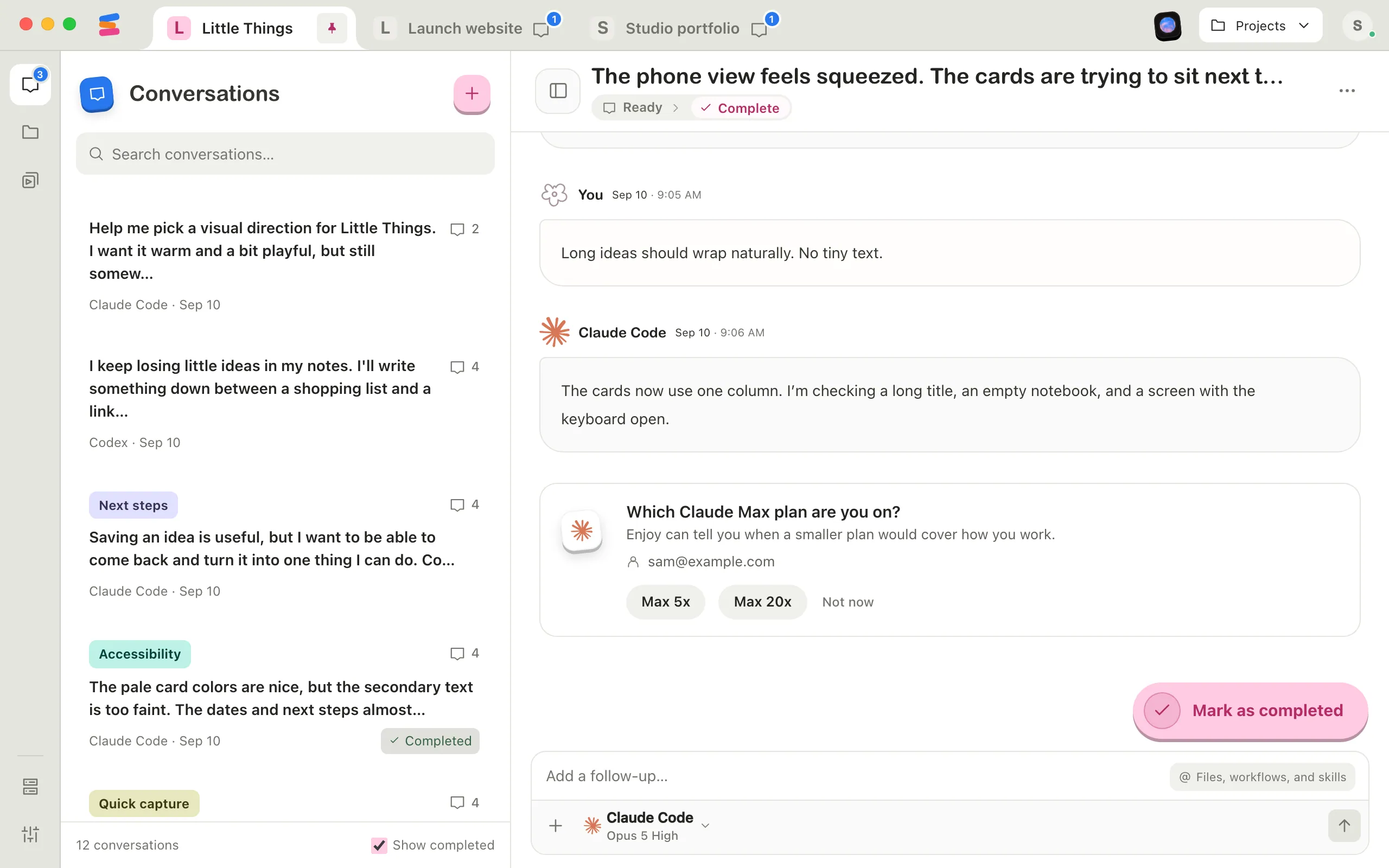
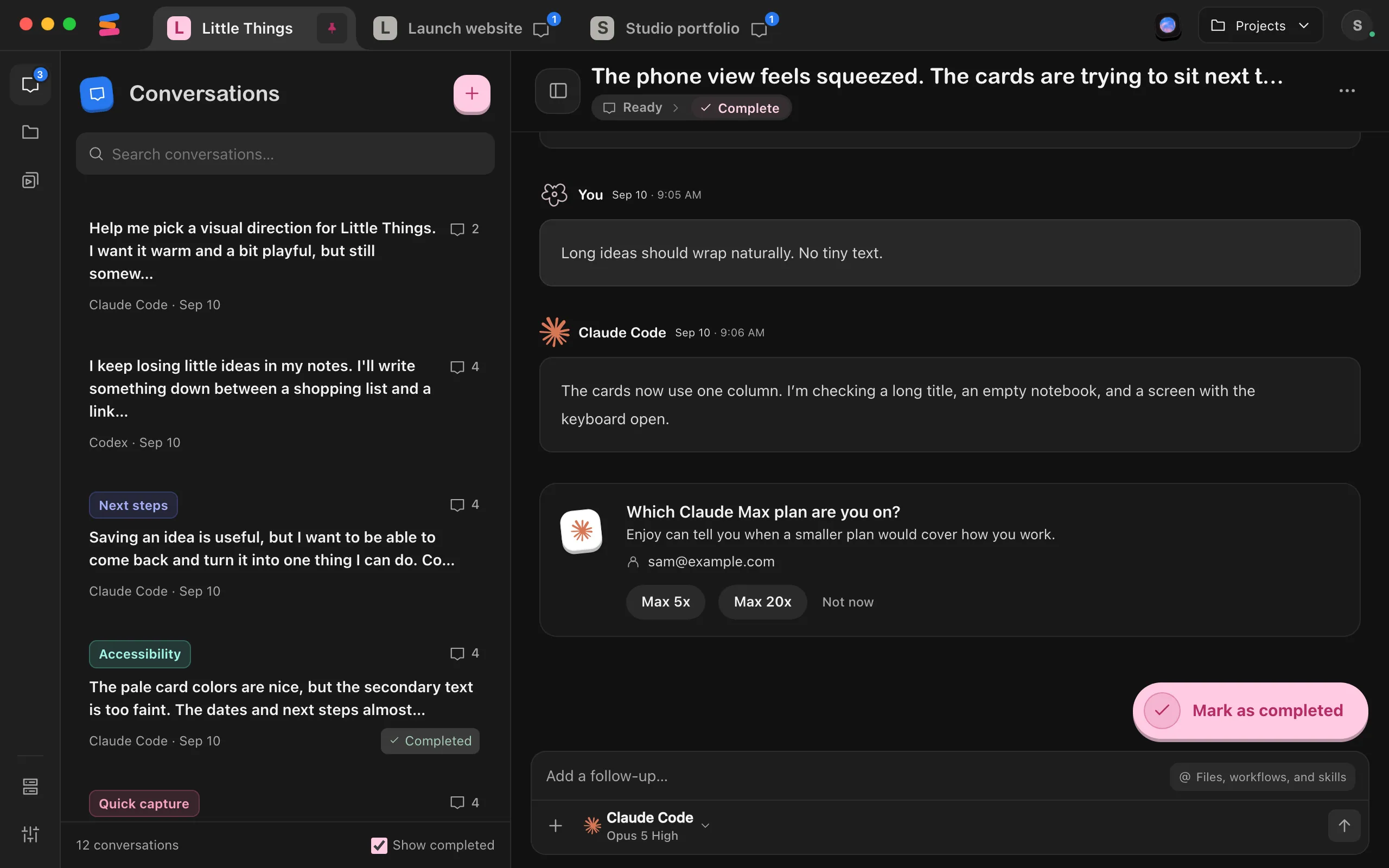
Claude Code says you’re on Max, but not whether it’s Max 5x or Max 20x. When a month of your usage could fit a smaller plan, a card at the end of a Claude Code conversation, and AI plans in Your account, ask Which Claude Max plan are you on? Select Max 5x or Max 20x. Select Not now to be asked again after another month.
Read the suggestion
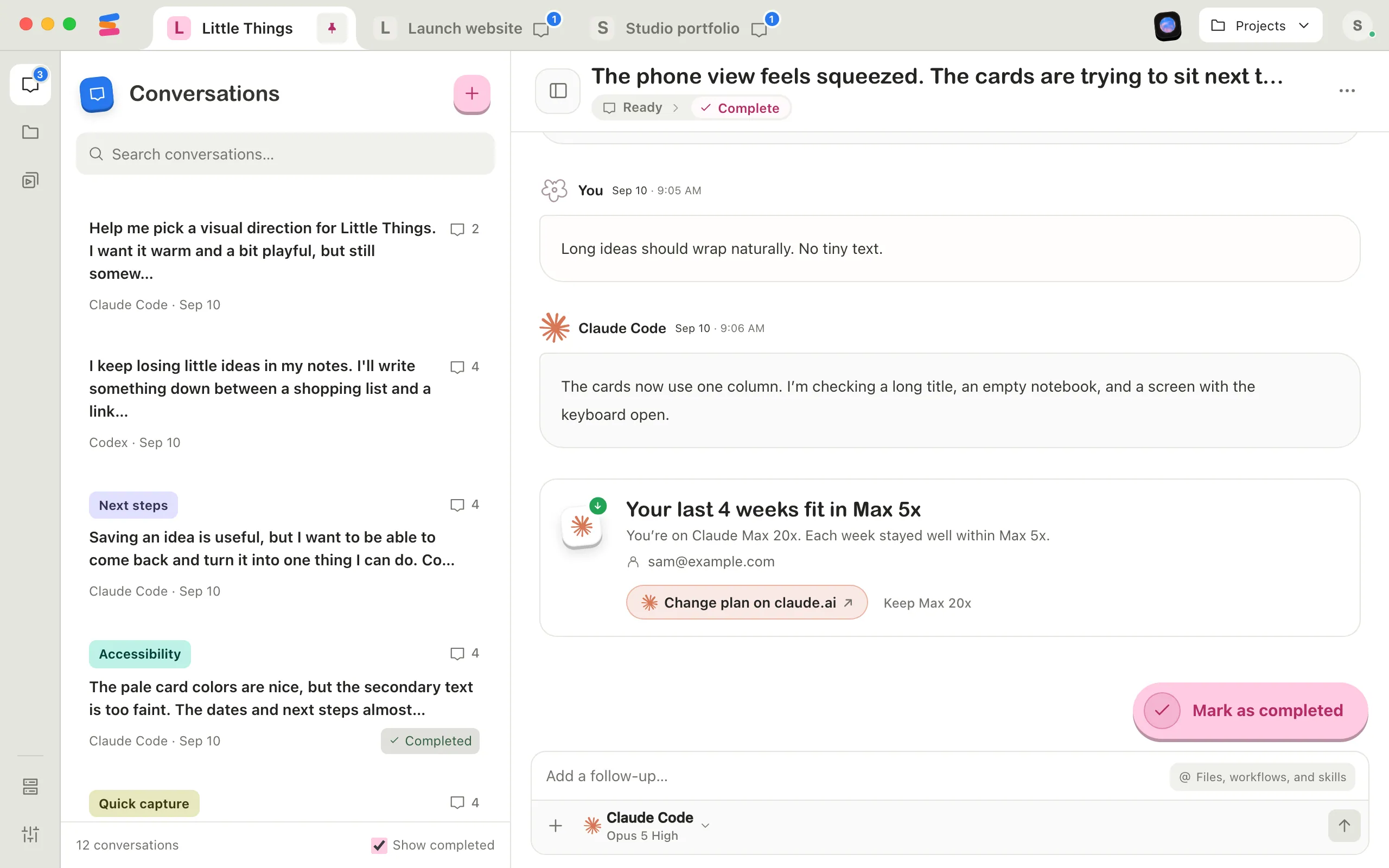
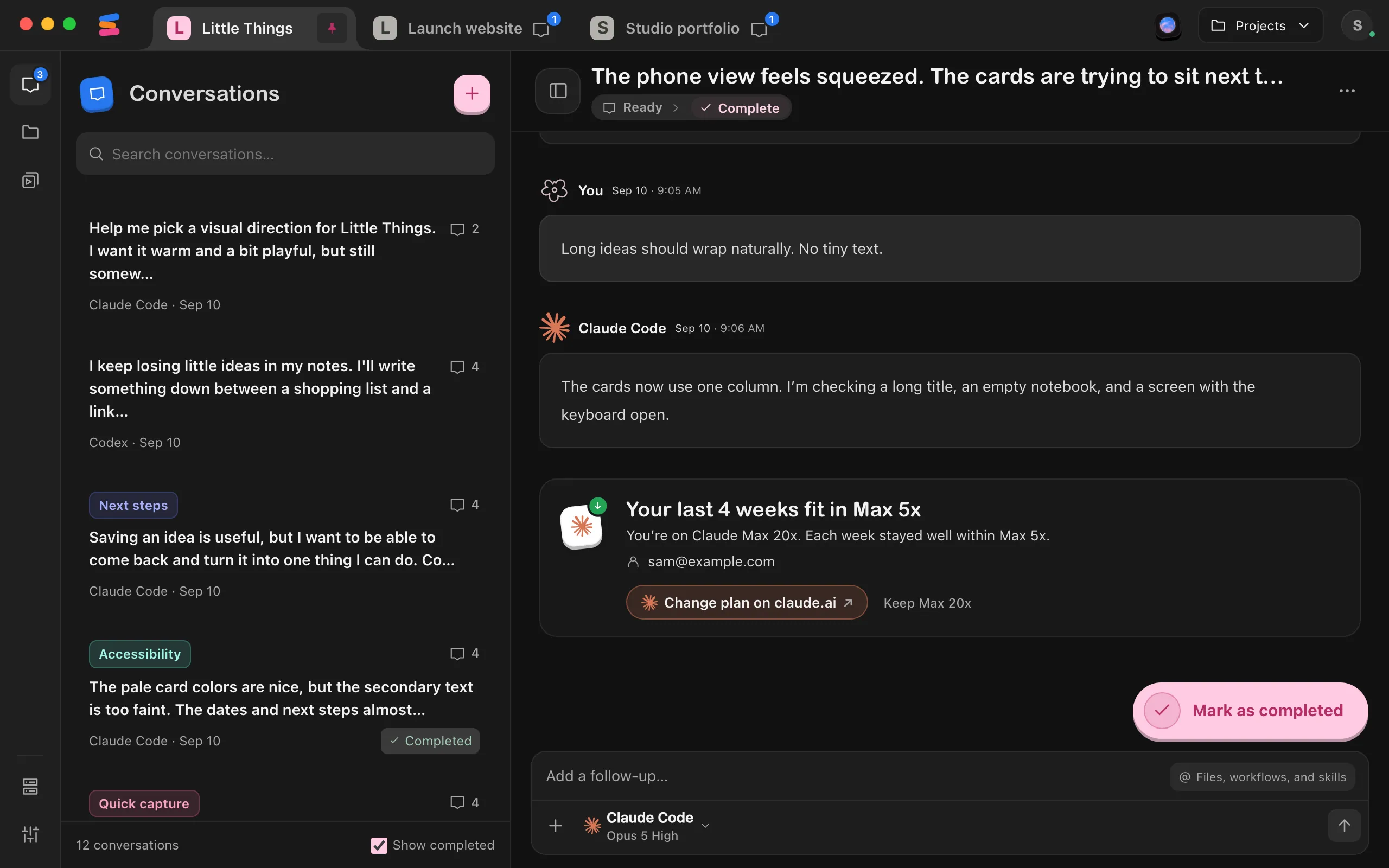
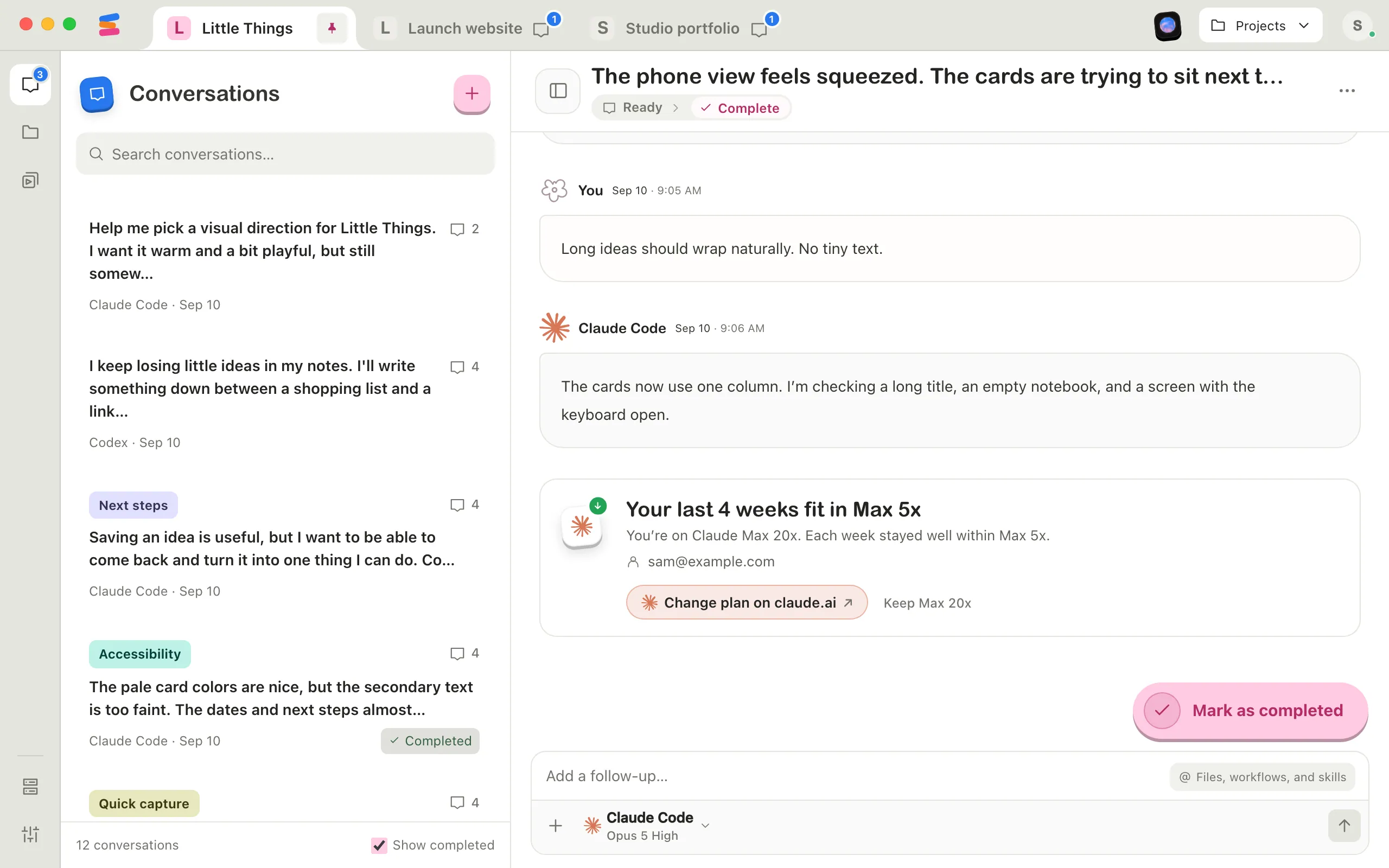
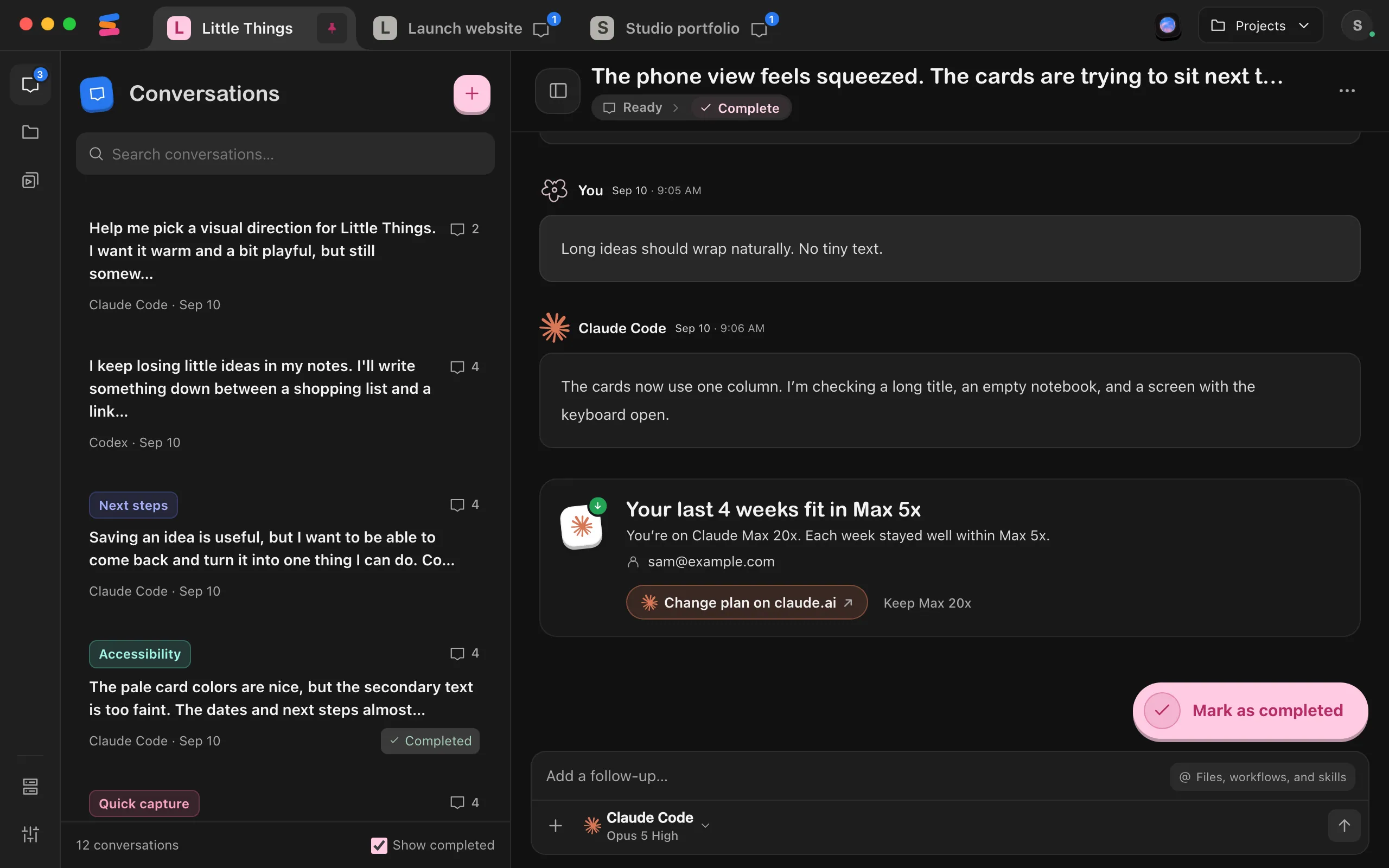
When each of your last four weeks fit in a smaller plan, the card says so, such as Your last 4 weeks fit in Max 5x, with the plan you’re on and the account it’s for.
Change your plan on claude.ai, or keep it
Select Change plan on claude.ai to open Claude’s billing page in your browser, where Claude shows its prices and you choose. Or select Keep Max 20x. Either way, Enjoy waits for another month of usage before suggesting again. After you open claude.ai, Enjoy asks which Max plan you’re on next time, since it can’t tell whether you changed it.
See all your AI plans
Select your name at the bottom of the sidebar, then Your account. AI plans lists each agent account Enjoy has seen a weekly limit for, with its plan, a bar for each of the last four weeks and what Enjoy makes of them, such as 2 of 4 weeks so far. A suggestion there also shows what the smaller plan saves in a year at list price. Select Check now to ask every installed agent for its usage right away, such as one you haven’t used lately.
Good to know
How Enjoy decides
- A week counts only if Enjoy saw your usage within its last day. Claude counts what you use on claude.ai, in the Claude apps and in Claude Code anywhere, but Enjoy only sees the total when it asks, so a week it didn’t see the end of might have grown afterward.
- Each of the last four weeks has to stay under half of the smaller plan’s weekly limit, and almost none of your 5-hour windows can run past its 5-hour limit. Anthropic publishes these limits only roughly, so Enjoy leaves plenty of room. It may stay quiet when a smaller plan would have worked, but it rarely suggests one that wouldn’t.
- Heavy use of a model’s own weekly limit, such as Weekly · Opus, keeps your plan, since smaller plans’ model limits are smaller again.
- A week when your plan changed doesn’t count, because its usage was measured against two different limits.
What it covers
- Suggestions cover Claude Code on Claude Max. Claude Team and Enterprise plans don’t get them; an admin manages usage on organization plans.
- Other agents that report a weekly limit, such as Codex, appear in AI plans with their plan and weeks, but without suggestions: Enjoy doesn’t compare their plans. Agents that report no weekly limit don’t appear, and Check now names them.
- Savings in AI plans are US list prices for a month, times twelve. Your bill can differ with annual billing, regional prices and tax. The conversation card shows no price. Claude Code doesn’t say when your plan renews, and claude.ai shows the real price and when a change takes effect.
- The card appears at the end of Claude Code conversations that aren’t working or waiting. The card and AI plans are in the computer app; the web app and the iPhone app don’t show them.
Your usage history stays here
Enjoy keeps your weekly usage, your answer about which Max plan you’re on, and when you last put a suggestion away on this computer only. Nothing is sent to Enjoy. Another computer keeps its own history.
If something goes wrong
Couldn’t open claude.ai. Visit it in your browser instead.
Enjoy couldn’t open your browser. Go to claude.ai yourself and open your billing settings. The suggestion stays until you choose Change plan on claude.ai or the button that keeps your plan, such as Keep Max 20x.
No suggestion appears
You may not have a month of usage that Enjoy saw near the end of each week, your usage may be too close to the smaller plan’s limits, or you may have put a suggestion away in the last month. AI plans says how many of the four weeks it has. If you use Claude mostly on claude.ai or another computer, Enjoy sees less of your usage here. Selecting Check now in a week’s last day helps that week count.
An agent couldn’t be checked
Check now shows the agent’s own reason under the list, such as asking you to sign in again. Sign in to the agent, then select Check now again.